

Step 1 of 13 · what the installer shows
The unit
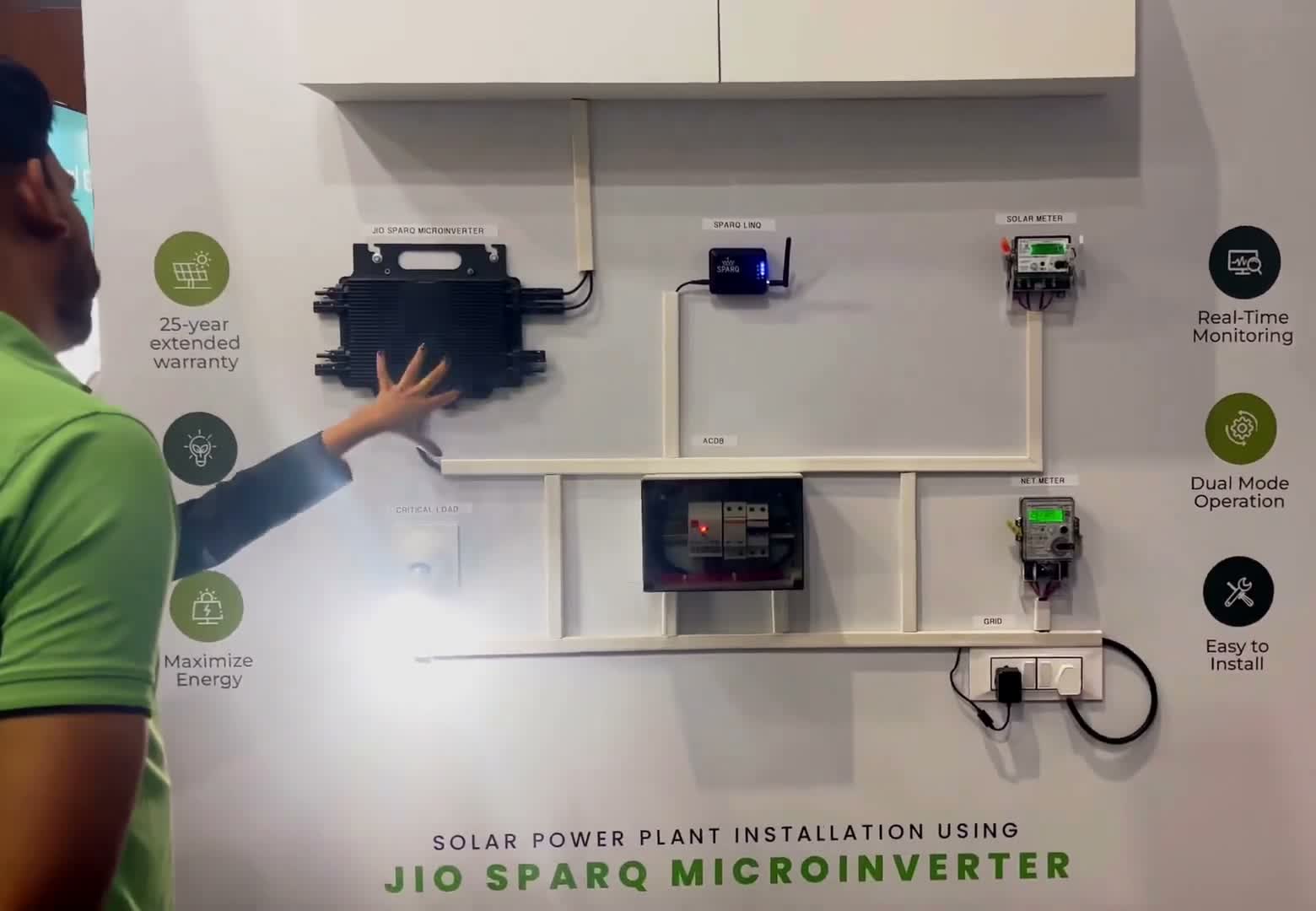
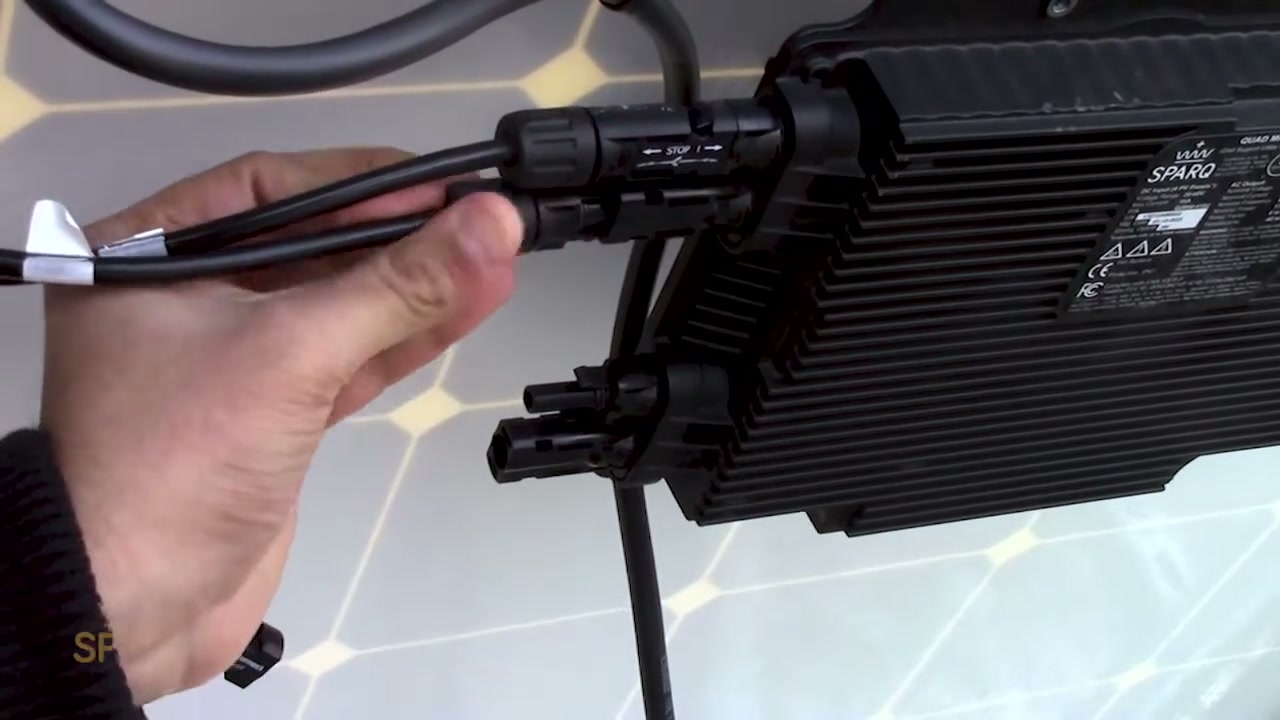
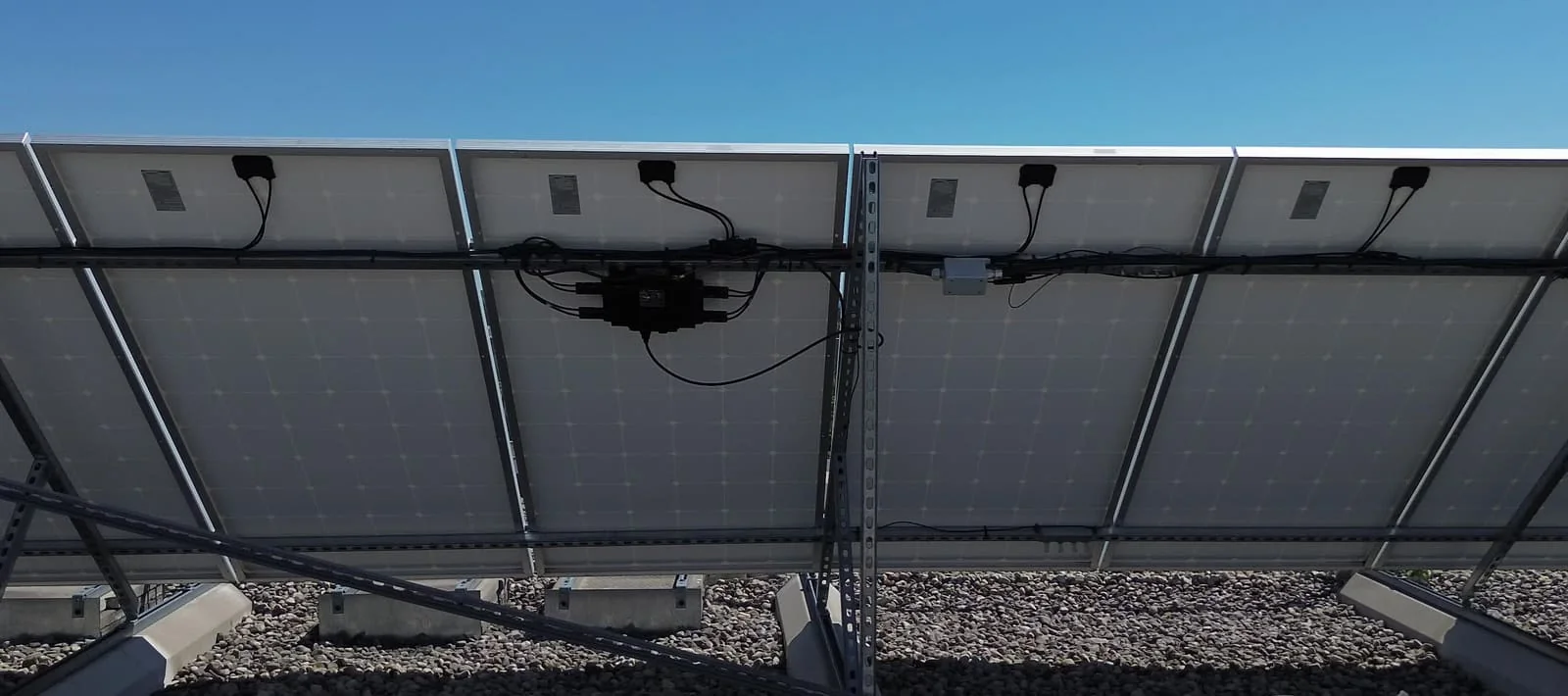
A 2 kW microinverter with four MPPT inputs. The panels connect to it directly, each through a short DC extension of one to two metres.
All-AC cabling, inherent Rapid Shutdown compliance, one unit per four panels. Here is everything you need from first quote to commissioning.
The 13-step installation process, start to finish.
A 2 kW microinverter with four MPPT inputs. The panels connect to it directly, each through a short DC extension of one to two metres.
[0:04] Ok, this is the 2 kW microinverter of Jio Sparq. So in this you have four MPPT means four inputs. So you can connect it directly from the panel. So you have to connect a small DC cable like 1 meter and 2 meter extra cable from the panel because to connect here directly. So after connecting we showed you the AC output. From here you get AC output. It has LED indication here.
[0:29] So you get two LEDs. One generation LED and one communication LED. Communication LED: Generally, when the inverter communicates with our communication device, it remains stable yellow, otherwise the LED remains stable in red. The green color LED blinks when end generation occurs. So because of this you will know. So inverter generation is taking place. So, the main feature of Jio Sparq is dual mode operation. So this is a cutting edge technology. So you will get dual mode operation which means inverter is on grid inverter which means if it is on grid then it will work like on grid inverter. So in case your grid is not there like in a day time there is no power supply for 1 hour or half an hour.
[1:10] So what if you have a normal on-grid inverter ? That generation will not do it for you. And it's just waiting for the grid. So what will our inverter be? You are in off grid condition. So it will convert the power and give it to you. And will only power up your directly critical load. So for that we use a special ACDB. We will show you in the upcoming videos what kind of connections ACDB has and what kind of connection it provides.
[1:35] So ACDB is mandatory for you to use the dual mode feature. So right now we're going to show you how to install the AC connector here. So properly you have pins in it. So it has to be matched properly. So its pin to pin of inverter. So once it is connected, if it is done less tightly then a ticking sound is produced. Till then it has to be pressed. So then it will be connected securely. So you have to disconnect. Then you have to use a disconnecting tool. So Jio Sparq inverter comes with 12 years replacement warranty. So and you can extend it up to 25 years. Ok?
[2:12] Now you have got more information about micro inverter. So now we will install it on a practical site and show it to you. I will show you practically on the side how to install it. So we have already installed it. You can see. So we have installed it here by putting two nuts and bolts. So you have to use this M8 size nut and bolt properly. So you have to drill it first.
[2:35] Then you have to mount it and tighten it. Ok? Maintain proper torque and do not overtorque. So don't drill directly. Ok? And in the inverter you get four MPPT and four M, you can see MC type connectors here directly, okay, so once you can install it vertically, otherwise you can also install it horizontally, so now after installation, you can directly connect the connector to each panel individually using the extend cable, you have to bring the extra cable, so before connecting you check the voltage, proper voltage should come, so on this side we have used two inverters, it is a 4 kW site, total you have eight panels, you can see here. So now you have extended your MC4 connector and brought it from your panel.
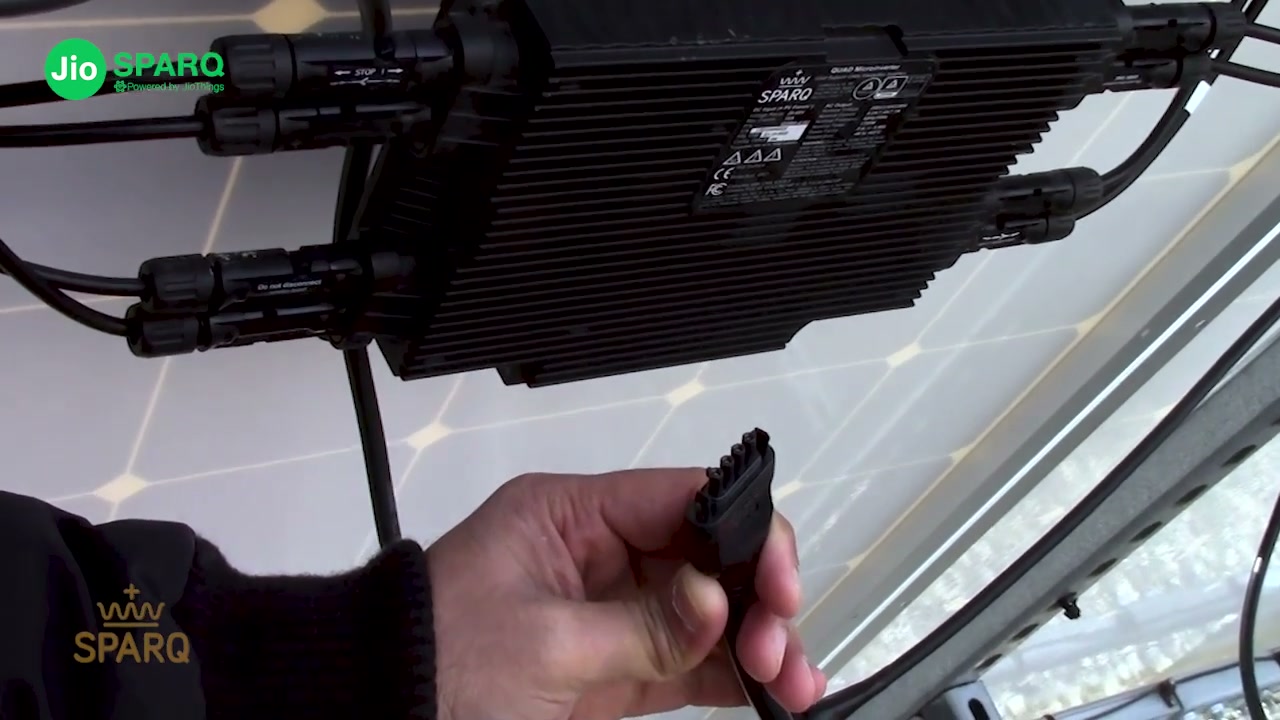
[3:20] So you have to lock it properly. Ok? So once it is properly locked, okay? After we have properly locked all four, our AC connector comes. So you get two of our total 2 meter cables in the inverter. The inverter is available in the box itself. So you can see it is called T5 connector. So you get a connector here also. So in this you have been given locks.
[3:41] You have to maintain the angle properly. So you can't put it upside down. Putting it in properly means it will not go in properly. Ok? So once you have the connection, you have to connect it. So your AC connection is complete. So the MC4 connector coming directly from the four panel is your connection and the AC connection is done. So now we will explain it to you next. So how do you have to connect this, how do you have to connect it in the JB i.e. junction box. So on one side you get a connector. On the other side you get open cable of line and neutral.
[4:15] So we are taking both the inverters forward now. So we just explained that you have two inverters, this site has a total of 4 kW. So after both your AC cables come in parallel, we have used a JB junction box here to combine both of them. Ok? So this 2 meter cable of ours comes here and connects to the down side MC4 above. So after that, our MCB is extending from below and going to the ground floor.
[4:43] Ok? Our main ACDB is also located on the ground floor. So it is going there. I have used MCB to change it. Meaning the inverter end to isolate the main panel below. So we have used direct SPD from here on off. Because the distance between the ground floor and the roof top is more than 10 meters. So for that we have used AC SPD. If it is a very short distance, it comes within 10 meters of you.
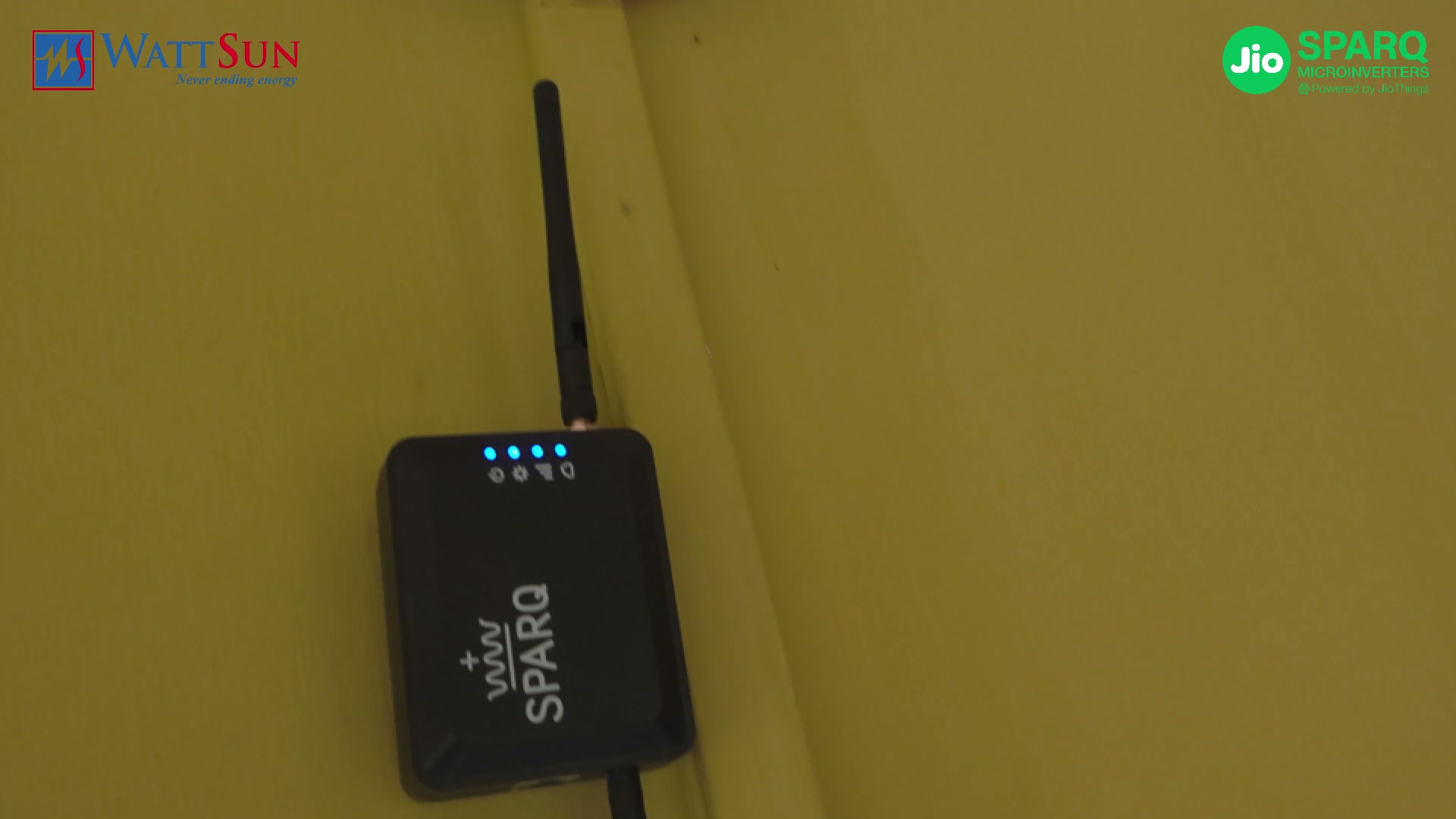
[5:06] So you will not need to use SPD here. You can use SPD in the main ACDB below. Ok. So now when we turn on the MCB, our already existing power supply is coming directly. Have double checked. So now our inverter will start within 1 minute. So this is Jio Communication Gateway JCG. So our inverter end talks wirelessly. So we have installed this on the roof itself, close to the inverter. So JCG main communication happens wirelessly through Zigbee communication.
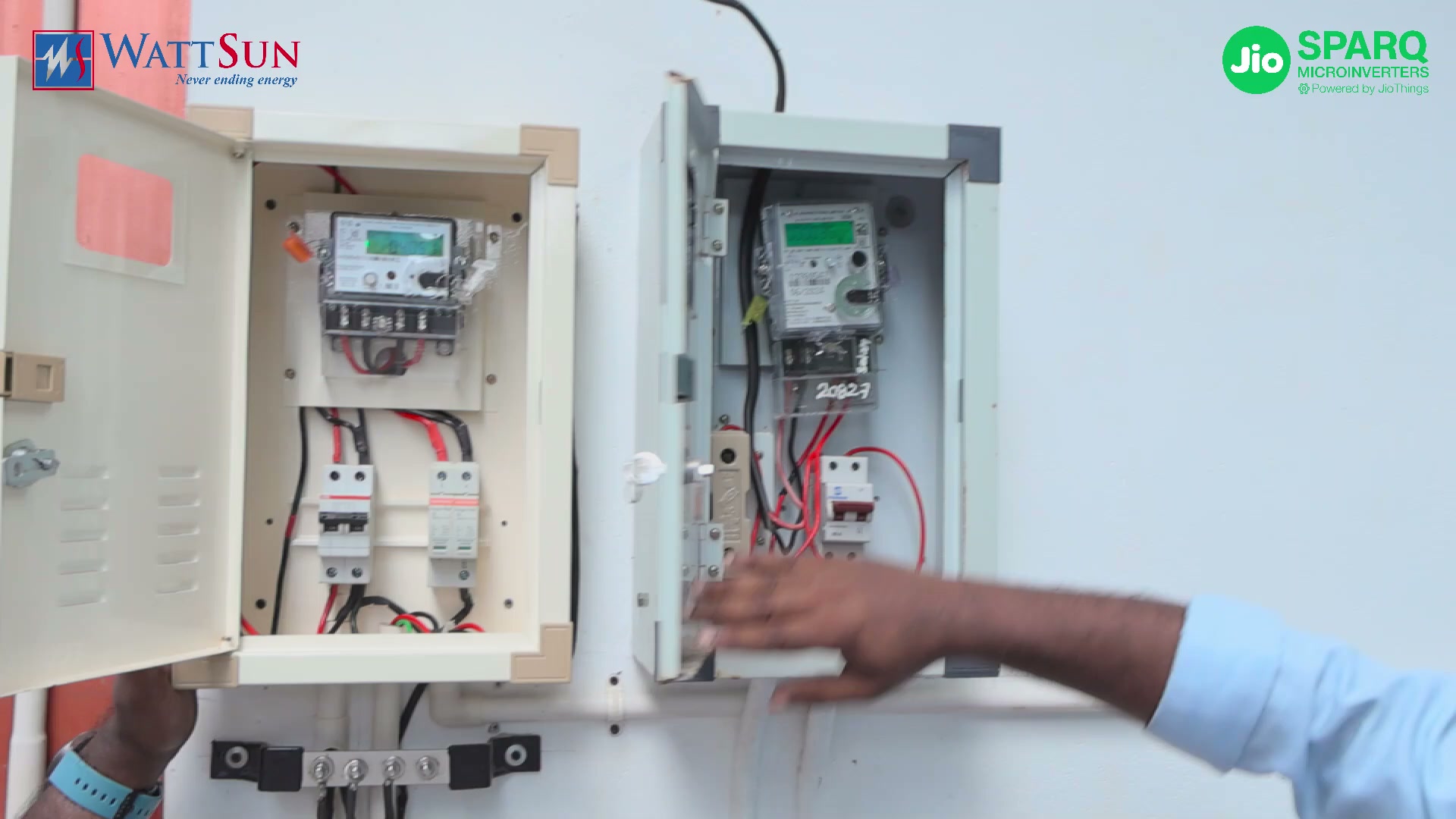
[5:36] And this particular device is your eSIM i.e. Jio's internal eSIM. And this device is an easy to install, plug and play device for up to six inverters i.e. a 12 kilowatt plant. And we have provided its power supply from a 12 volt adapter. You can see. Now you need to know how to install our Dual Mode ACDB. We will explain to you here how the connection will be. So roof top solar ka ACDB pe. So from the junction box it will directly come to your solar meter.
[6:03] So the output of the solar meter gives us three connections in AC. You can give it properly. It has solar connection. After that grid connection grid means the grid connection coming from your main panel and critical load connection. Critical load connection means which load you want to run off grid, you will have to connect it here. Ok? We have given an extra MCB for safety, so we have given that directly in the solar connection here, so your grid connection is directly connected to the main panel, that is, your net meter, otherwise it is the main panel of the customer, so its source is given from the main panel, so after the main panel it is going to the customer net meter, so what have we done is the critical load, so in this the customer's
[6:50] panel is inside it, so in this the customer has connected some load for backup. He has an AC and critical loads. Like fan ho gaya and routers ho gaya. So which small load should be run off grid? So he has connected it. Remaining loads like geysers and other ACs became centralized AC. He has not provided all that in off grid connection. He has taken it directly from the main panel.
[7:17] Ok. So what did we do in this to explain it a little more to you in ACB ? Two ACCLs have been used. So which will help you whenever there is an off grid and on grid condition, it will help you to switch, that is, it will automatically switch over. Ok? And for safety we have also provided AC SP and MCB. So it will protect all your electrical equipment. Ok? And here we have given a red colored switch change over switch.
[7:45] So it is a manual change over switch. So in case any issue arises in ACDB and Solar, then the customer's critical load should not be off in any case. So if any issue arises then customer can manually bypass ACDB by rotating it and bypassing it. So that is a one extra easy feature manual feature we have given. So, that is mostly an advantage. Ok. Now we have set up the off-grid feature. Right now just to test we are manually shutting down the grid. So I just opened ACB also.
[8:22] So we have grid supply. So right now it's going into solar and it's also going into the house. So we are turning that off now. So you can see that mains are available right now. And then it is also absolutely. Zen means solar. So now I have closed this solar. Your mains will be turned off. So it will take 5 seconds. So your 5 seconds are taking 5 seconds for solar regeneration. The train has just started.
[8:44] Meaning your critical load means now we go inside the house. We will also see which loads are running. We are going inside the house. So we will see which loads are running as critical loads. So right now we have not given critical load connection in the living room. Only bedroom connection given. You can see it's all off. Right now we have switched on only the light and AC of your bedroom.
[9:04] So that is our critical load running right now. So right now our AC and fan are running in critical load. So in off grid condition. So here we have not used any battery system. So it is directly solar to load connection. So this is your cutting edge technology Jio Sparq Micro Inverter
Eight steps, from checking the panel and the grid to the first power into the grid.

The rooftop of Queen's University in Kingston, Ontario: one of SPARQ's main test sites, where its microinverters are evaluated in real-world conditions and compared with traditional string inverters. Then the Quad 2000, its installation, and what each LED means.
For panel selection, use the current Quad2 grid-tied or dual-mode datasheet. The recorded panel-rating narration predates these specifications.
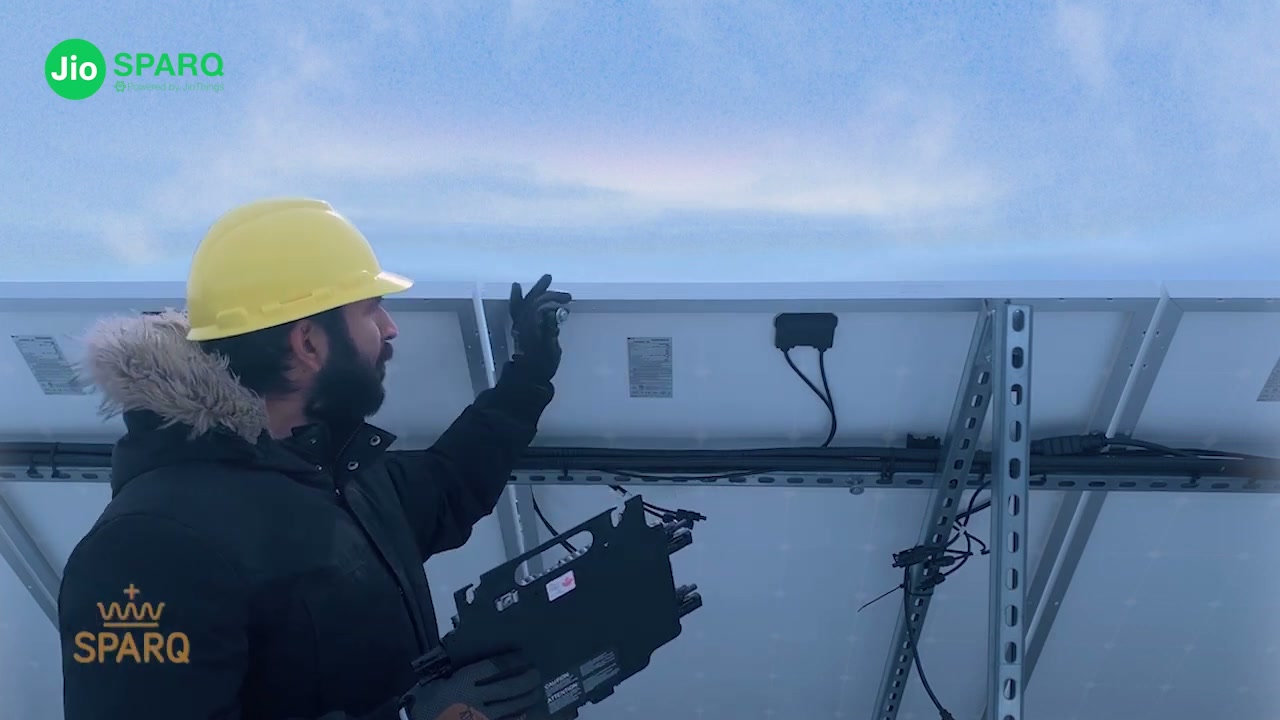
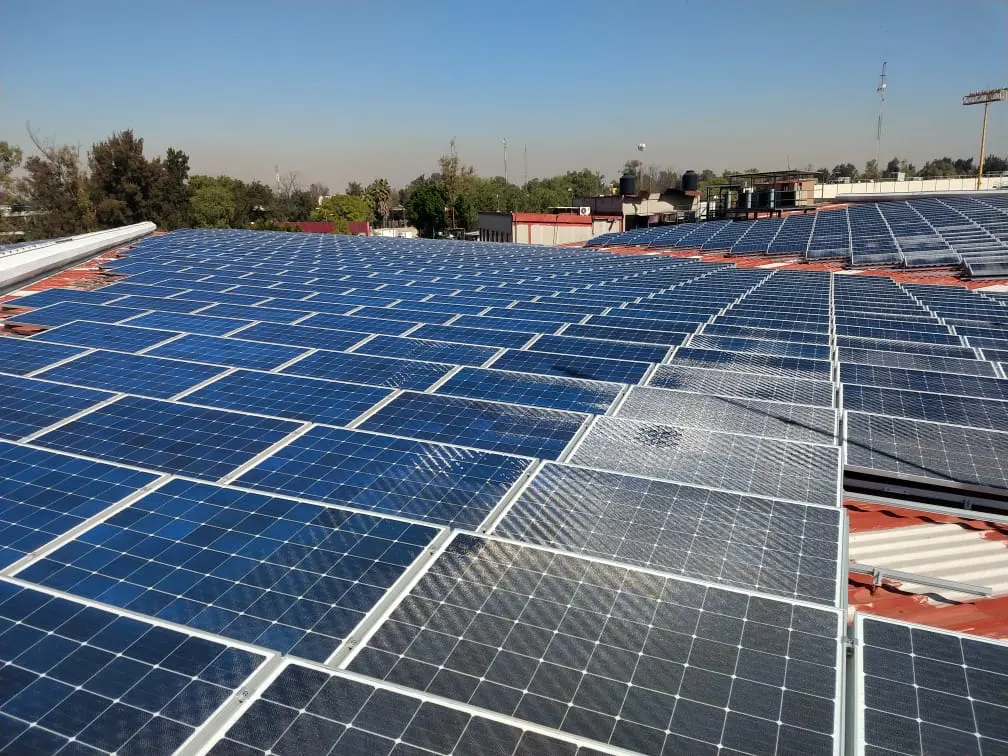
[0:00] Hello, we are at the rooftop of Queens University in Kingston, Ontario. This is one of our main test sites for performance evaluation of Sparq Systems microverters where we evaluate our products in real world environments and compare their performance with traditional string inverters to measure how much more electricity they generate. Here we briefly introduce a Sparq Systems Quad 2000 micro inverter and its features. We will then proceed with the user-friendly installation of the microinverter to the solar panels. And finally, we will learn about the LED lights on the microinverter and the interpretation of each LED.
[0:33] Before installation, make sure the panel's standard test conditions abbreviated as STC, voltage, power, and current ratings are within the limits of the micro inverter. We will need to review the data sheet of the micro inverter and its label to cross-check it with the PV panel ratings. For instance, as per the current version of the Quad 2000 microinverter data sheet and label, it can be connected to PV panels with STC MPPP voltage ratings of 20 to 50 volts or opencircuit voltage of max 65 volts, short circuit current of 16 amps, and a max PV wattage of 680 W. It should be noted that these values might be different for each Spark systems micro inverter since these numbers are increased with new developments in the photovoltaic modules. Here we have an LG 400 W 50V 10 1/2 amp PV module. As you can see, the module's voltage, current, and power ratings are within the micro inverter nominal range. So, we check mark module compatibility.
[1:32] Now, we need to check the AC voltage and frequency ratings. Each Sparq micro inverter can be used in either on-rid or off-grid mode. And in this video, we'll focus on on-rid applications. Again, we will refer to the micro inverter data sheet and label and make sure the AC voltage falls within the microinverter ratings. As you can see, for a single-phase quad 2000 micro inverter, the AC grid can be splitphase 240 volt at 60 Hz, three-phase lineto line 208 volt 60 Hz, three-phase line to neutral 230 volt 50 Hz, or singlephase 230 volt 50 Hz. Now we need to measure the AC voltage at the grid side to make sure the grid is compatible with the micro inverter AC side ratings. As you can see the grid voltage is 240 volt split phase with a frequency of 60 Hz. Thus it is compatible with the micro inverter ratings. So we can check mark the grid
[2:26] compatibility. Now we will proceed with the installation process. First we have to double check our safety measures. Make sure you wear electrical safety gloves. Disconnect the AC side breaker and make sure that there is no voltage on the AC side. Here we can see our six gauge grounding cable. Grounding is very important for the safety of personnel as well as providing the micro inverter immunity against grid voltage fluctuations, lightning, ring waves, and high voltage or current surges.
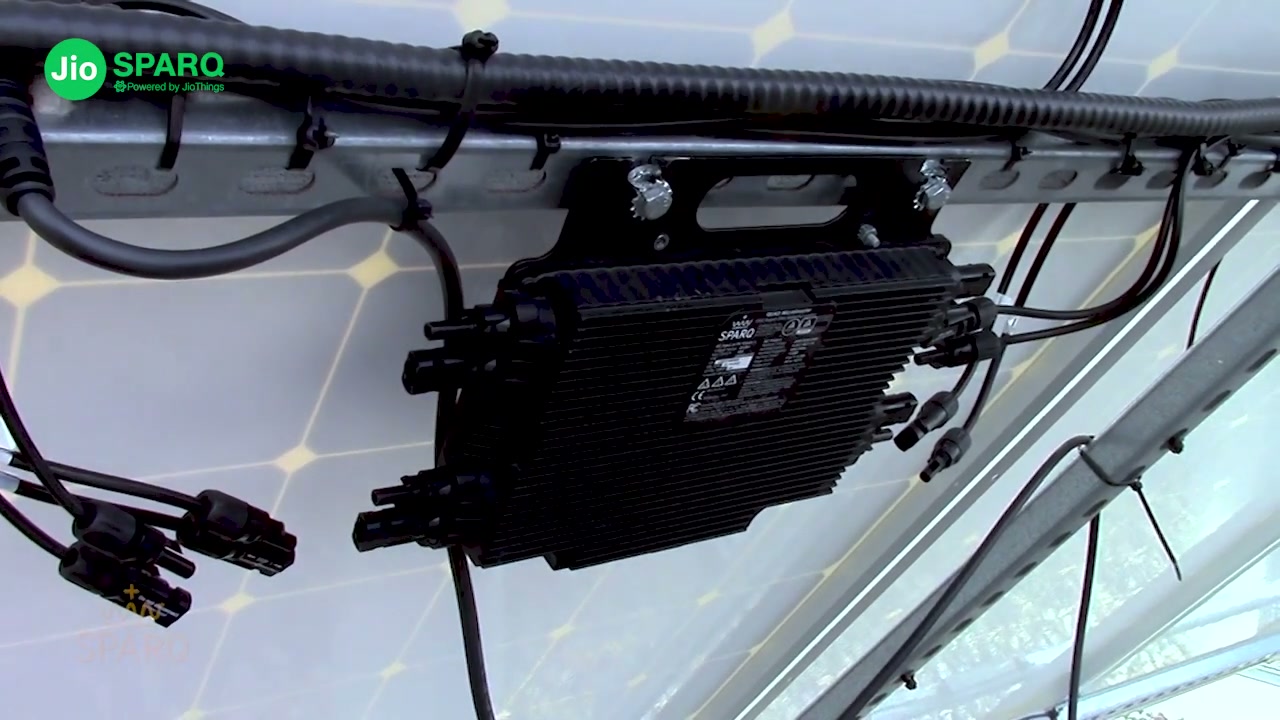
[2:57] Install the micro inverter with the heat sink side facing out for proper heat dissipation and thermal performance. Secure the micro inverter with bolts and nuts. We're using 14 mm here. We recommend using serrated washers to penetrate the paint on the enclosure to form a weeb grounding to the frame. Ensure you tighten the micro inverter snug down.
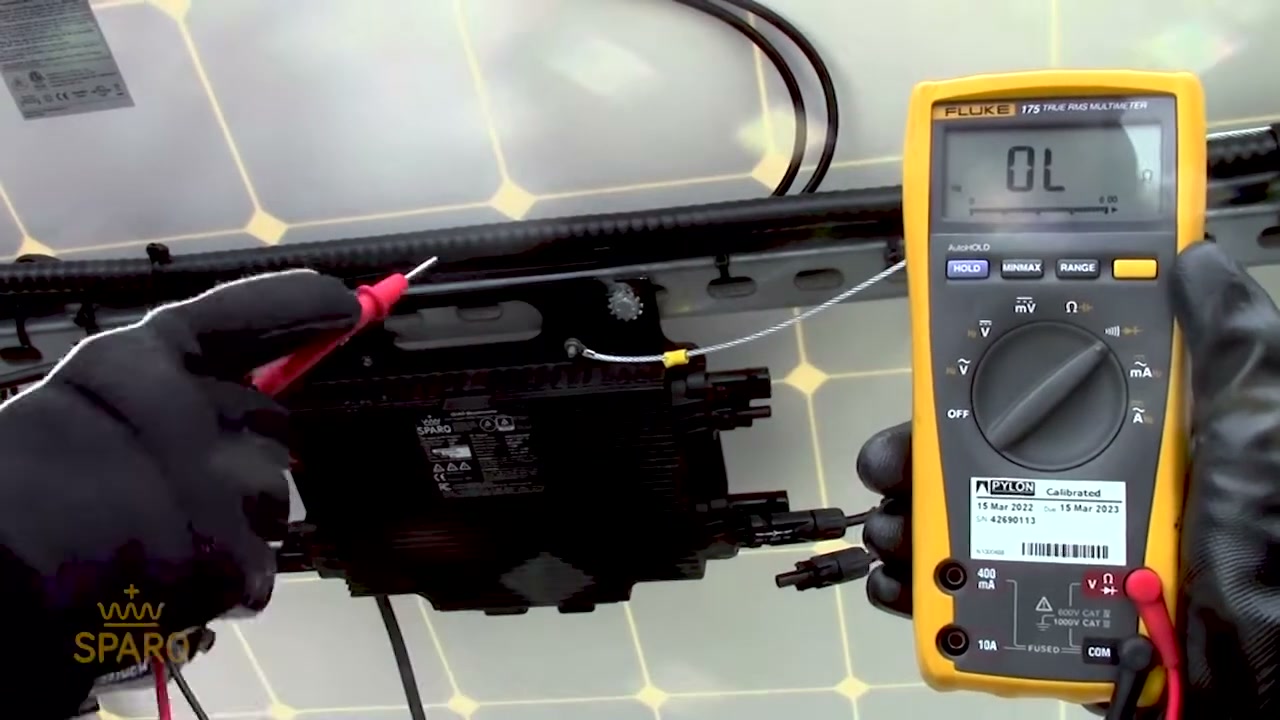
[3:16] Fasten the grounding cable to the grounding lug as shown here. Run a continuity check with your multimeter and ensure it shows a resistance value close to zero between the frame and the grounding lug. Then insert the PV MC4 cables into the microinverter DC receptacles. They will click when locked into place.
[3:51] Now we check the power LED on the micro inverter. The LED on the right side is the power LED. As you can see, it's blinking red currently. This means the micro inverter is not yet able to see the grid. Now we connect the AC cable to the AC receptacle on the micro inverter, connecting the other end to the AC breaker. When we check the power LED, it'll show a solid green light. This means the grid is recognized and the micro inverter is ready to start
[4:15] injecting power into the grid. The micro inverter will retain a connection delay timeout as per the grid standards. And after a few seconds, it'll start generating. As you can see now, the power LED status has changed to a blinking green, which means the micro inverter is successfully injecting the generated power from the PV module and feeding it into the grid.
Rapid shutdown, grounding, GFDI, branch limits, cable runs: the installers' group of the site's FAQ. The whole collection is on Resources.
For professional installers, we find the following tools useful for design, modelling, and performance enhancement:
Yes. Sparq Systems provides a fully AC-based system, eliminating the need for high-voltage DC cabling. This simplifies installation and enhances installer and homeowner safety.
Our microinverters supports up to four solar modules per unit, enabling a compact and efficient quad-input design that reduces the total number of inverters needed.
No. Each input operates independently. Unused inputs should be capped with the provided MC4 caps.
It depends on branch circuit current ratings and local electrical codes. Refer to the installation manual for exact limits.
The SparqLinq gateway communicates wirelessly with the microinverters via Zigbee. It tracks the performance of every Quad on your roof, keeps your system's history on the device, and stores it long term in SparqVu, so you can see how your system has performed over the years.
Yes. Sparq provides a Quick Installation Guide for the SparqLinq gateway that outlines setup, network configuration, and pairing with the microinverters.
Yes. Installers must ensure the system complies with local utility interconnection standards, which may involve site inspections, documentation, and system testing before final approval.
Yes. The Quad 2000 is inherently a rapid shutdown device, fully compliant with NEC 2020 requirements.
Yes. The Quad3 is inherently a rapid shutdown device and fully complies with NEC 2020 Section 690.12.
Each microinverter is mounted directly under the panel, connected via MC4 connectors, secured to the racking, and wired into the AC trunk cable. It integrates easily with standard mounting and wiring systems.
Sparq offers technical documentation, product datasheets, and installation manuals on its website. For hands-on assistance, installers can also access training and technical support from Sparq's service team.
Installers can reach Sparq Systems at info@sparqsys.com for prompt technical assistance or warranty inquiries.
Select modules using the current Quad2 datasheet: up to 680 Wp per channel, 34–45 V full-power MPPT, 20–60 V extended MPPT, and 16 A maximum input DC current per channel. Check the applicable grid-tied or dual-mode datasheet and installation manual for all module compatibility requirements.
The Q2000 microinverter has 4 independent inputs that are transformer isolated from the AC output and have their negative DC inputs referenced to ground thru the GFDI circuit. Considering the inverter handles each module individually, the calculations are below for the 64-200 (1):
• the rated operating current and voltage; this is the module maximum power current (Imp) and module maximum power voltage (Vmp).
• the maximum photovoltaic source circuit voltage; this is equal to the PV module’s open circuit voltage (Voc).
• the rated short-circuit current; this is equal to the PV module’s short circuit current (Isc).
The Trunk cable used with the Q2000 connects the AC output of all inverters in parallel. This means the voltage on the trunk cable remains the same (240Vac) but the current from each inverter (7.5 Amps) gets added. A trunk with 3 inverters connected to it will have 3 x 7.5A = 22.5A under full power. Adding a 1.25 safety factor gives a design current of 22.5 x 1.25 = 28.125A.
Panel specs and AC capacity in; panels, inverters and gateways out, with part numbers.
Open the calculatorEvery trunk cable by gauge, length and part number. North America colour coding included.
See the cablesPlug in the gateway, scan for the inverters and confirm the layout; it then syncs to the cloud account.
SparqLinq setupServicing an older array? Installation manuals for North America and India, plus both datasheets.
Legacy downloadsRapid shutdown, grounding, GFDI, branch limits, answered from the field.
Read the FAQAuthorized distribution for North America, India, Africa, Australia, the Gulf and Southeast Asia.
Find a distributor