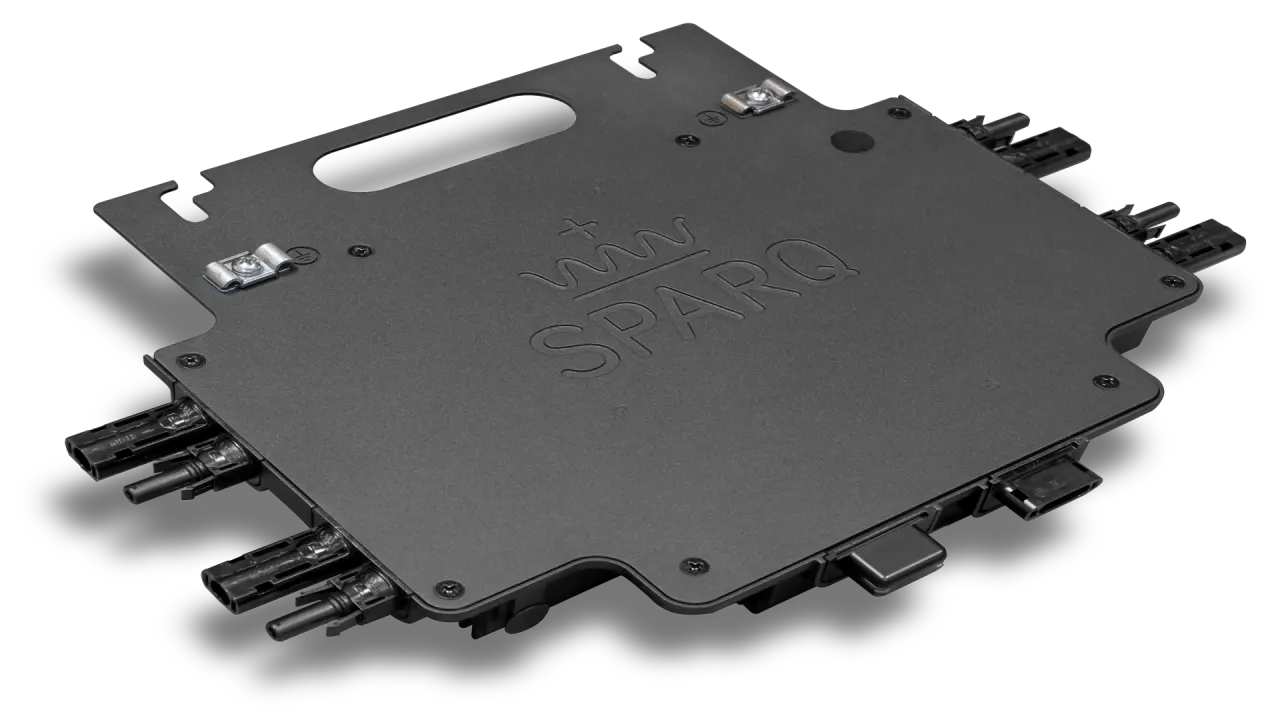
For panel selection, use the current Quad2 grid-tied or dual-mode datasheet. The recorded panel-rating narration predates these specifications.
[0:00] Hello, we are on the rooftop of Queen's University in Kingston, Ontario. This is one of our main test sites for evaluating Sparq Systems microinverters, where we test our products in real-world conditions and compare their performance with traditional string inverters to measure how much more electricity they generate. Here we briefly introduce the Sparq Systems Quad 2000 microinverter and its features. We will then go through installing the microinverter on the solar panels, and finally we will look at the LED lights on the microinverter and what each one means.
[0:33] Before installation, make sure the panel's standard test conditions (STC) voltage, power and current ratings are within the limits of the microinverter. Review the microinverter's datasheet and label, and cross-check them with the PV panel ratings. For instance, per the current Quad 2000 datasheet and label, it can be connected to PV panels with an STC MPP voltage of 20 to 50 volts, an open-circuit voltage of up to 65 volts, a short-circuit current of 16 amps, and a maximum PV wattage of 680 W. These values may differ for each Sparq Systems microinverter, as they increase with new developments in photovoltaic modules. Here we have an LG 400 W, 50 V, 10.5 A PV module. As you can see, the module's voltage, current and power ratings are within the microinverter's nominal range, so we check off module compatibility.
[1:32] Now we need to check the AC voltage and frequency ratings. Each Sparq microinverter can be used in either on-grid or off-grid mode; in this video we focus on on-grid applications. Again, refer to the microinverter datasheet and label and make sure the AC voltage falls within the microinverter's ratings. For a single-phase Quad 2000 microinverter, the AC grid can be split-phase 240 V at 60 Hz, three-phase line-to-line 208 V at 60 Hz, three-phase line-to-neutral 230 V at 50 Hz, or single-phase 230 V at 50 Hz. Now we measure the AC voltage on the grid side to make sure the grid is compatible with the microinverter's AC ratings. The grid voltage is 240 V split-phase at 60 Hz, so it is compatible with the microinverter, and we check off grid compatibility.
[2:26] Now we proceed with the installation. First, double-check your safety measures. Wear electrical safety gloves. Turn off the AC breaker and make sure there is no voltage on the AC side. Here we have our 6-gauge grounding cable. Grounding is very important for the safety of personnel, and it also protects the microinverter against grid voltage fluctuations, lightning, ring waves, and high voltage or current surges.
[2:57] Install the microinverter with the heat-sink side facing out, for proper heat dissipation and thermal performance. Secure the microinverter with bolts and nuts; we're using 14 mm here. We recommend serrated washers that cut through the paint on the enclosure to form a WEEB ground to the frame. Make sure the microinverter is tightened snug.
[3:16] Fasten the grounding cable to the grounding lug as shown. Run a continuity check with your multimeter and make sure it reads a resistance close to zero between the frame and the grounding lug. Then insert the PV MC4 cables into the microinverter's DC receptacles; they click when locked in place.
[3:51] Now check the power LED on the microinverter, the LED on the right side. It's blinking red, which means the microinverter can't see the grid yet. Connect the AC cable to the microinverter's AC receptacle, and the other end to the AC breaker. The power LED now shows solid green: the grid is recognized and the microinverter is ready to start feeding power into the grid.
[4:15] The microinverter waits out a connection delay set by the grid standards, and after a few seconds it starts generating. The power LED has changed to blinking green, which means the microinverter is successfully converting power from the PV modules and feeding it into the grid.